A diagram is missing from the PDF
What you see
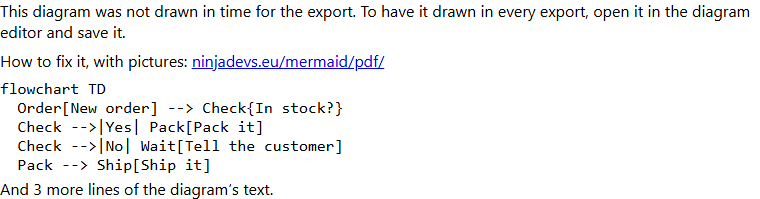
You exported a Confluence page to PDF. Where a diagram should be, the PDF shows a note, the first lines of the diagram's text, and this address: peakdevs.eu/mermaid/pdf/. That is this page.
Why it happens
Confluence makes the PDF a few seconds after it opens the page, and it does not wait for every diagram. A diagram that is not drawn by then is printed as this note. It happens most on pages with many diagrams.
How to fix it
Do this once for each diagram that showed the note. The diagram then keeps a copy of its drawing, and every later PDF prints it, even when Confluence does not wait.
Step 1: Open the page in Confluence's editor
Choose Edit at the top right of the page.

Step 2: Open the diagram's editor
Click the diagram. A small toolbar appears over it. Choose the pencil icon, which is its edit button.
Step 3: Press Save
The window opens with the diagram text on the left and the drawing on the right. Change nothing. Press Save at the bottom right.
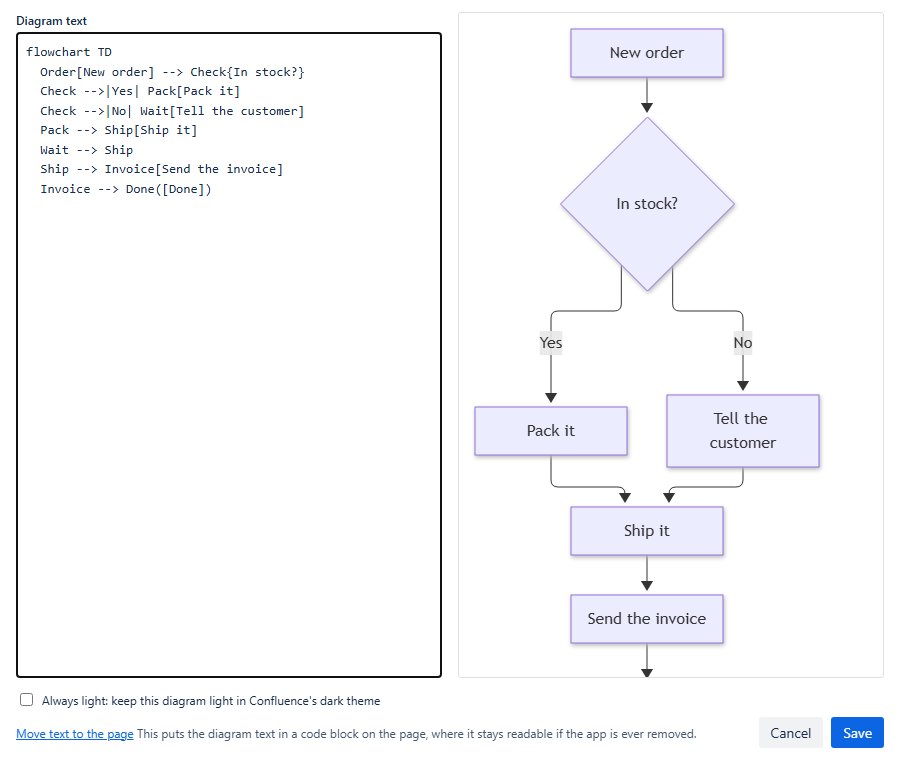
If the editor says the diagram is too large to keep a copy, split it into smaller diagrams, each in a macro of its own.
Step 4: Publish the page
Choose the blue Update button at the top right of the editor. On a page that was never published, the button says Publish... instead.
Step 5: Export the page to PDF again
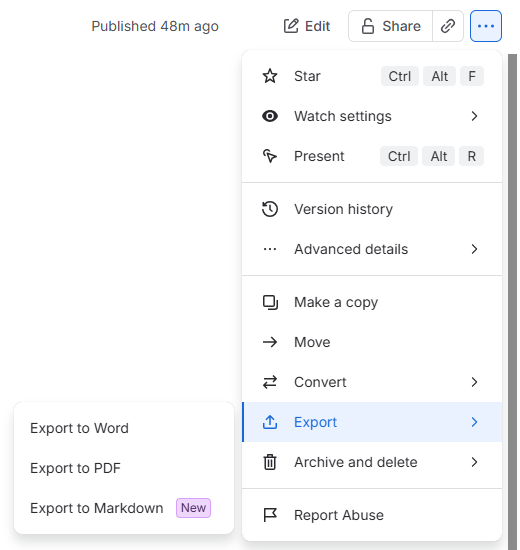
Open the page's ... menu at the top right, choose Export, and then Export to PDF in the list that opens beside it (the others are Export to Word and Export to Markdown). The diagram is now in the PDF as a drawing.
A diagram drawn from a code block on the page
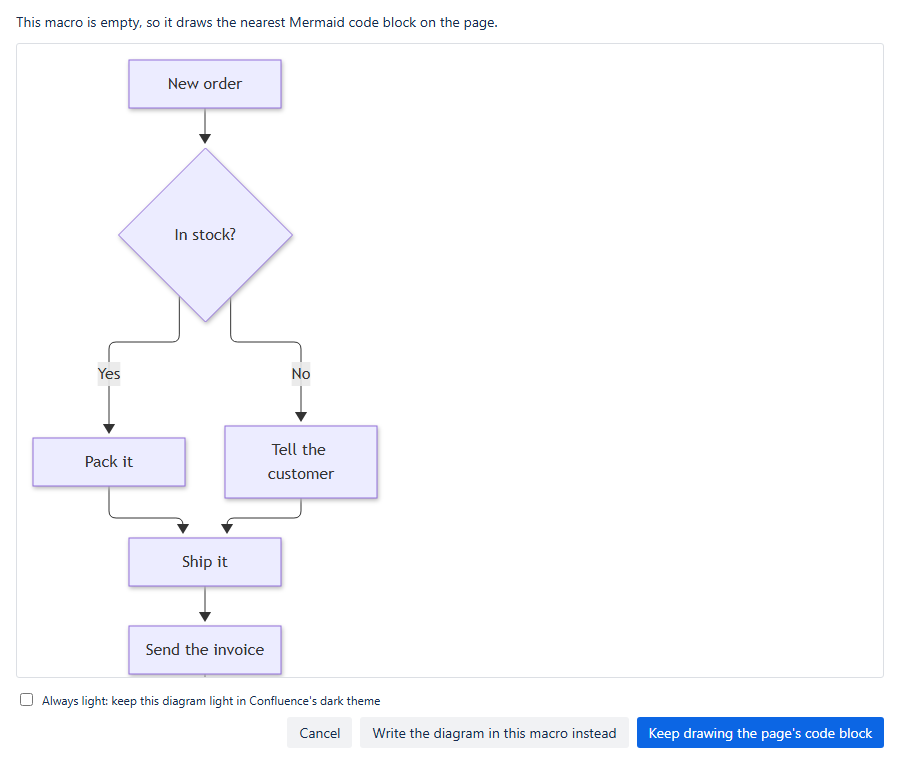
A diagram with nothing inside it draws a Mermaid code block that is on the page. Its editor looks different: it says "This macro is empty, so it draws the nearest Mermaid code block on the page."
In step 3, press Keep drawing the page's code block instead of Save. The diagram then keeps a copy of its drawing, and the code block stays on the page. Then go on with step 4.
Still the note?
- Export again after publishing. A PDF made before you published has the old page.
- A diagram you typed straight into the macro, or saved before the app was updated, has no copy until you do the steps above.
- Send us the page's address and the number of diagrams on it at support.
More on exports, and what Confluence limits: PDF and Word export.